Site reports ready for your client
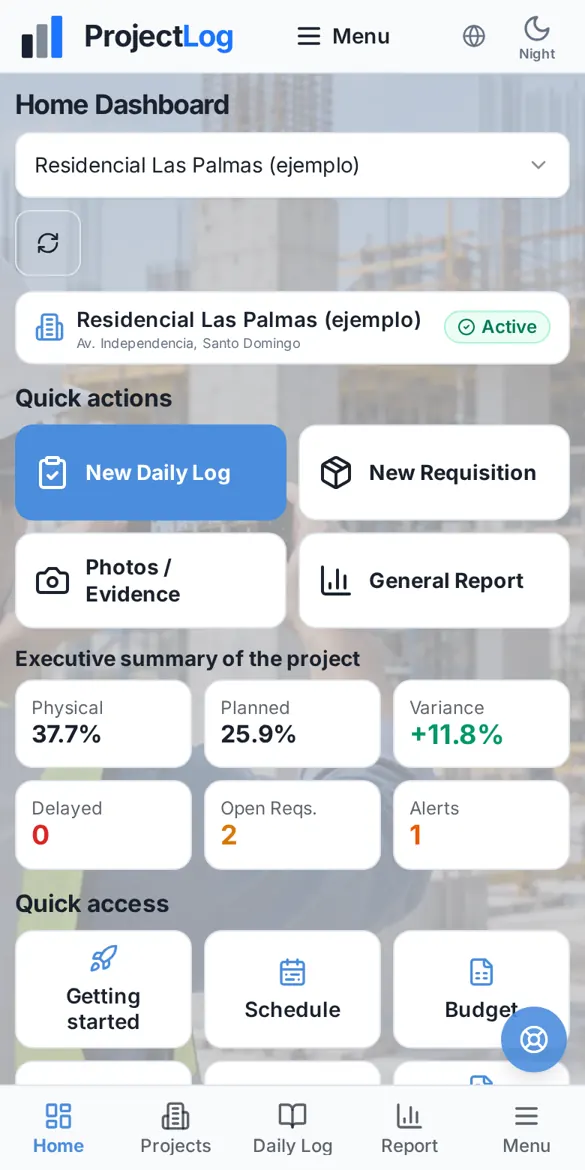
ProjectLog builds the project's General Report from what you already recorded: progress, photos, site logs, requisitions, alerts and risks. Download it as PDF or Word and share it without spending hours in Excel.
Features
General Report in PDF and Word
Cover with your logo and project photo, table of contents, map and every section.
Planned vs. actual progress
Indicators, variance and S-curve calculated the same on screen and in the PDF.
Photos and site logs for the period
The period's site logs, photos and meeting minutes, in order.
Alerts with their status
Every alert sent, with its dates and whether it was handled or left unanswered.
Export to Excel
Schedule, budget, progress billing, stock and payroll-ready crew lists, in Excel.
With or without amounts
The same report shows amounts only to the people you authorize.
On the job site
ProjectLog is built to be used where the work happens: on the slab, in the trench and in the coordination meeting. These are photos from our own team's real projects.



How it works
Record on site
Site logs, photos, progress and requisitions, as usual.
Pick the period
From the project, under General Report.
Download and share
PDF, Word or by WhatsApp and email.
Frequently asked questions
Can I add my company logo?
Yes. The logo is set per project and appears on that project's General Report, site logs and requisitions.
How much does ProjectLog cost?
During our pilot stage you can use the full app at no cost. If paid plans come later, we will notify you at least 30 days in advance.
Do I need to install anything?
No. ProjectLog runs in the browser of your phone, tablet or computer. On iPhone and Android you can add it to your home screen and it opens like an app.
Does it work on site without signal?
Yes. The site log, progress by budget item, material usage and meeting minutes are saved on the phone and sync automatically when the signal comes back.
Who can see my project data?
Only your company. You decide who gets in, which projects they see and whether they can see amounts. Every company works separately from the others.
Try ProjectLog on your next site visit
We are in our pilot stage: we activate every account personally, and you can use the full app at no cost during this stage.